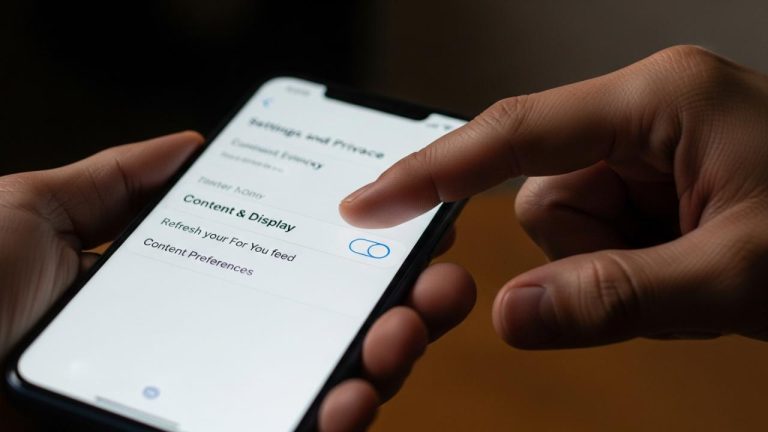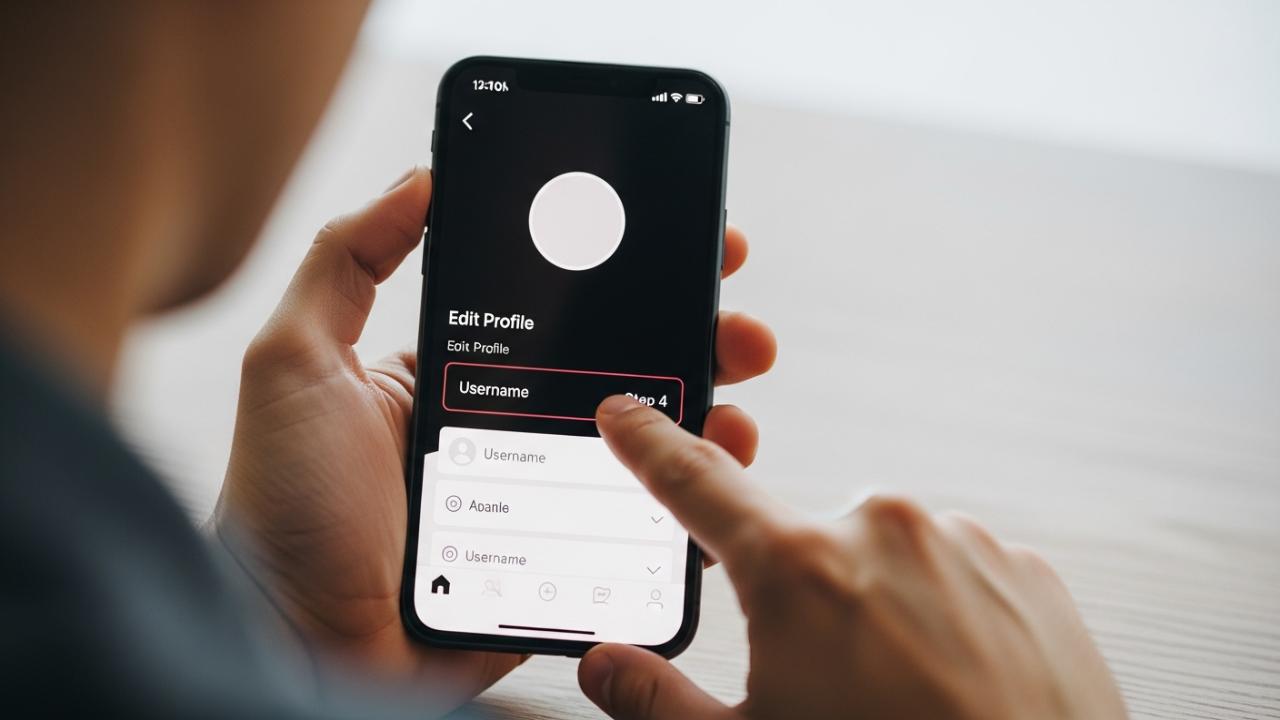
TIKTOK • DAILYTECH.ID - The TikTok username change process is conducted directly within the mobile application by navigating to Profile, selecting ‘Edit Profile,’ and tapping ‘Username.’ Usernames must be unique, adhere to character guidelines (1–24 characters, letters, numbers, underscores, or periods), and crucially, can only be updated once every 30 days, regardless of the device used.
Changing your TikTok username requires accessing the ‘Edit Profile’ settings directly through the mobile app, which is the official method supported across all iOS and Android devices. Below is a detailed guide covering the standard steps, platform variances, and how to manage the restrictive 30-day rule, ensuring you know precisely how to change tiktok username on phone successfully and efficiently in the current platform environment of 2025.
The Official Step-by-Step Guide to Changing Your TikTok Username
The process for how to change your TikTok username on your phone is standardized for the main application, utilizing the most secure and up-to-date settings regardless of your device manufacturer. This is the definitive path for users wondering how to change username in tiktok on phone.
Navigating the Settings on iOS and Android
This universally applies to finding how to change tiktok username on iphone and solving the puzzle of how to change tiktok username on phone android devices, including specific models like Samsung and Google Pixel. The steps remain identical across these operating systems for the core application interface.
- Open the TikTok application: Launch the TikTok app from your phone’s home screen or application library. Ensure you are logged into the account you wish to modify.
- Access Your Profile: Tap the “Profile” icon, which looks like a person silhouette, located in the bottom-right corner of the navigation bar. This takes you to your central account page, where your content and current statistics are displayed.
- Initiate Edit Profile: Locate and tap the “Edit Profile” button. This button is generally situated directly below your profile picture and follower count. This section contains all the editable details for your account, including your bio, profile picture, display name, and username.
- Select the “Username” Field: Within the edit profile menu, you will see a field labeled “Username.” Your current handle (the @name) will be displayed next to it. Tap on this field to open the dedicated username editing screen.
- Type in Your New Desired Username: Carefully enter the new username you wish to use. The app provides immediate real-time feedback. If the name is already taken or violates the character rules, the app will inform you immediately, often turning the text red or showing a warning icon.
- Confirm the Availability: If the application confirms the new username is available and valid (usually marked by a green checkmark), you are ready to proceed. Remember, this new name must be unique globally across every TikTok account, emphasizing the need for creative and timely selection.
- Finalize the Change: Tap “Save” or “Done” (this button label may vary slightly depending on your device’s current software version). The app will display a confirmation prompt reminding you that this change is final and subject to the 30-day restriction period. Confirm the change to update your profile URL and handle instantly. If you are concerned about
how to change tiktok username without deleting account, rest assured: this process only modifies the handle, leaving all your videos, drafts, and followers intact.
Key Requirements and Username Rules
Successfully updating your handle requires rigid adherence to TikTok’s stringent criteria. If the system indicates can't change tiktok username, it is frequently due to a violation of these standards, which are put in place to ensure platform consistency and prevent deceptive branding.
- Length Constraints: Usernames must be substantial but not overwhelming, requiring a length of between 1 and 24 characters. Names exceeding 24 characters will be automatically rejected by the platform’s validation system.
- Permitted Characters: The platform is highly selective regarding what characters are allowed. You are restricted to only standard English letters (A-Z), numerical digits (0-9), underscores (_), and periods (.). No other special symbols, spaces, or international characters are permitted in the username field.
- Period Placement Rule: A critical, often overlooked formatting rule is that periods cannot be placed at the end of the username. For example, “MyHandle.” is invalid, while “My.Handle” is perfectly acceptable.
- Global Uniqueness: Your chosen username must be unique globally across the entire platform. TikTok maintains a massive database of handles, and if even one other active account, or an account currently undergoing the 30-day waiting period, is using that specific handle, your attempt will fail.
Understanding the 30-Day Restriction and Workarounds
A critical element of can i change my username tiktok is the 30-day timer enforced by the platform, which often leads users to search frantically for how to change tiktok username before 30 days. This restriction is the most common roadblock users encounter after an initial change.
Why You Cannot Change Your Username Immediately (The 30-Day Wait Period)
TikTok imposes a firm rule: once a username is successfully changed, you must wait 30 full days before you can change it again (how to change tiktok username again). This rule is deeply embedded in TikTok’s account security and identity management framework for several vital reasons:
- Preventing Impersonation and Scams: Frequent name changes could allow users to quickly rotate through different handles, facilitating spamming or impersonation of high-profile accounts or brands, making it difficult for other users to track genuine profiles.
- Protecting Username Integrity: The rule ensures that a recently discarded username is held for 30 days. This means if you change your name from @OldName to @NewName, @OldName becomes immediately unavailable to anyone else for that 30-day period. This feature is crucial because if you regret the change, the platform gives you 30 days to revert to your original handle before someone else can claim it.
If you attempt to change the name earlier than allowed, the app will display a specific warning message, often including a precise countdown timer showing the exact date you become eligible for the next change. Understanding this fundamental policy explains why achieving an immediate change is functionally impossible under standard circumstances.
Solutions for Changing Your TikTok Username Before 30 Days
While there are many queries regarding how to change tiktok username without waiting 30 days, it is imperative to understand that legitimate, supported workarounds are severely limited, especially in 2025, as the platform has closed almost all historical loopholes.
- The Official Solution: Wait for the Timer: The only officially supported, guaranteed, and secure method to proceed is to patiently wait until the 30-day restriction period expires. Any action taken to bypass this internal timer carries significant risk.
- Addressing Platform Discrepancies (Ineffective): In the past, there were rumored strategies involving manipulating device dates, changing VPN locations, or trying different versions of the application (like Lite). TikTok’s servers now manage the 30-day clock based on UTC time stamps tied directly to your account ID, rendering device-level time manipulation completely ineffective. Attempting such maneuvers may violate TikTok’s terms of service, potentially leading to a temporary account lock or suspension.
- The Exception: Urgent Legal or Security Issues: If you have an urgent, legally binding reason to change your username (such as severe identity theft, legal name changes, or brand infringement confirmed by law enforcement), you may attempt to contact TikTok support through their official reporting channels. However, this is an extreme exception reserved for critical circumstances, not a standard method for
how to change tiktok username early. Support teams will require extensive documentation, and most standard requests forhow to change tiktok username immediatelywill be denied. - The Alternative: Deleting and Recreating (Not Recommended): Some users ask if they can delete their account to reset the clock. While deleting your account does eventually free up the username, this process involves a lengthy deactivation period (usually 30 days) and permanently removes all your content, drafts, and followers. This drastic measure is never recommended just to bypass the 30-day name change restriction.
Changing Display Name vs. Username
A significant source of confusion for users navigating the ‘Edit Profile’ settings is the difference between the unique identifier and the public name. It is crucial to differentiate between how to change username and display name.on tiktok because they operate under completely separate rulesets.
- The Username (@handle): This is your unique, globally binding identifier. It appears after the “@” symbol, is used for tagging, is required for login, and forms the core of your profile URL (e.g., tiktok.com/@yourusername). This is the field that is strictly governed by the 30-day change restriction and strict character limitations.
- The Display Name (Profile Name): This is the name displayed prominently at the top of your profile, situated directly above your username. This name is purely cosmetic.
Flexibility of the Display Name
The display name offers dramatically greater flexibility compared to the rigid username:
- Change Frequency: You can typically change your display name far more frequently than the username, often multiple times a day, though limits may apply to prevent rapid spamming.
- Character Allowance: The display name allows spaces, emojis, special characters, and generally has a much higher character limit (usually 80 characters).
- Uniqueness: Display names are not unique. Multiple users can share the exact same display name without issue.
If you urgently need to change your profile’s public presentation but are currently locked out of changing your username, altering your display name is the fastest and easiest way to refresh your profile identity without running into the 30-day timer.
Platform Specific Adjustments and Limitations
While the mobile application remains the standard and required pathway for username modification, users often explore alternative platforms and applications, leading to queries about variations in the process.
How to Change Username on TikTok Lite
TikTok Lite is designed for devices with limited storage or slower network connections, offering a scaled-down version of the main application. However, the functionality for high-security changes remains identical.
The process for how to change username on tiktok lite follows the exact structure of the main app: Profile > Edit Profile > Username. Crucially, Lite users are still subject to the same strict criteria:
- The username must meet the 1–24 character limit and use permitted symbols.
- The account must obey the mandatory 30-day restriction period.
If you are using the Lite version and are unable to change your name, the issue will stem from the time constraint or character rules, not from the version of the app itself. The backend server rules are universal for every account, regardless of the app being used to access the platform.
Changing Your TikTok Username Using Desktop or Browser
Many social media platforms allow full profile management via desktop, prompting users to search for how to change tiktok username on pc or how to change tiktok username on desktop.
While the desktop website (accessed via a web browser) allows users to perform basic functions—such as uploading videos, managing comments, and changing non-sensitive profile details (like bio and display name)—it usually imposes restrictions on critical security fields.
In most cases, TikTok requires the user to perform the username change only through the mobile application. This restriction is a security measure. Mobile devices are inherently linked to unique identifiers (like phone numbers, device IDs, or specific app authentications) that make identity verification stronger, helping prevent unauthorized access and bulk account modifications that could be easily performed on a desktop environment. If you navigate to the profile settings on a browser, the “Username” field is typically greyed out or displays a prompt directing you back to your mobile device to complete the action.
Troubleshooting Common Username Change Issues
If you consistently find yourself running into barriers and the system indicates can't change tiktok username, the solution almost always resides within three primary areas. Understanding these failure modes is key to a swift resolution.
- The Time Constraint Barrier (30-Day Lock):
- Symptom: The app displays a specific date when you can change your name again, or the “Save” button is inactive after entering a valid, available name.
- Solution: This is non-negotiable. If you have changed your username at any point within the last 30 days, the platform will prevent any further edits. You must wait for the countdown to complete. There are no safe technical workarounds for this system-enforced rule.
- Availability Issues (Already Taken):
- Symptom: You enter a name, and the app immediately throws a red error message stating, “This username is not available.”
- Solution: This means the chosen name is actively in use by another user, or it is currently being held by the system (e.g., if another user recently abandoned it and it is in the 30-day quarantine period). You must select a new, unique combination of letters, numbers, and symbols. Be creative, consider adding underscores or numbers (such as a birth year or lucky number) to differentiate your handle.
- Format and Character Errors:
- Symptom: The app displays a warning about invalid characters, length, or placement of symbols.
- Solution: Carefully review the standard rules: ensure the name is between 1 and 24 characters, verify you have not used spaces or unauthorized symbols (like hyphens, exclamation points, or special emojis), and confirm you have not placed a period at the very end of the handle. Correcting these formatting mistakes allows the internal validation system to proceed successfully.
Mastering how to change tiktok username on phone involves not only knowing the step-by-step navigation but also mastering the complex rules of time and character constraints set forth by the platform.
FAQs – How to Change TikTok Username on Phone
You can change your TikTok username an unlimited number of times over the life of your account. However, you are strictly limited to changing it only once every 30 days. After each successful change, a mandatory 30-day waiting period is enforced.
Usernames must be between 1 and 24 characters long. They can only contain letters, numbers, underscores (_), and periods (.). Importantly, you cannot use spaces or end the username with a period.
No. TikTok strictly enforces the 30-day waiting period to prevent fraud and maintain profile integrity. There are no supported workarounds, and attempting to bypass this rule through technical means is against the platform’s terms of service.
No, the process and the restrictions are identical. The interface for how to change tiktok username on app (including Lite) is the same: Profile > Edit Profile > Username. All accounts, regardless of the app version, are bound by the 30-day rule.
No, changing your username will not affect your existing content, follower count, or engagement history. Your profile will retain all its videos and data. The only change is your unique handle (@name) and your profile URL.