AI MARKETING TOOLS • DAILYTECH.ID - For many local business owners, marketing doesn’t fail because of strategy—it fails because there’s simply not enough time to keep up with it. Managing reviews, posting on social media, and running local ads often gets pushed aside while daily operations take priority. Over time, this leads to inconsistent visibility and missed opportunities in your local market.
AI tools for local business marketing help reduce this pressure by handling repetitive tasks and improving how you manage local outreach—without removing the human side of your business. These tools often work best when combined with broader systems. See our guide on [AI marketing tools for small business] for a complete overview. Rather than a “magic fix,” these tools serve as practical assistants that help you maintain a professional presence while you focus on on-site work.
Quick Recommendations
- Best Overall: BrightLocal – Works well if your main goal is improving visibility on Google Maps and managing reviews in one place.
- Best for Beginners: Canva Magic Studio – A practical starting point if you need to create professional flyers and social posts without design skills.
- Best for Reputation: Podium – Ideal if you handle a high volume of customer texts and need AI to help draft quick, personalized review responses.
- Best for Local Ads: AdCreative.ai – Use this if you need to generate high-performing social media ad graphics for your specific zip code quickly.
- Best for Research: Perplexity AI – Useful if you need to research local competitors or brainstorm community-focused content ideas for your blog.
Main Tools Section
1. BrightLocal
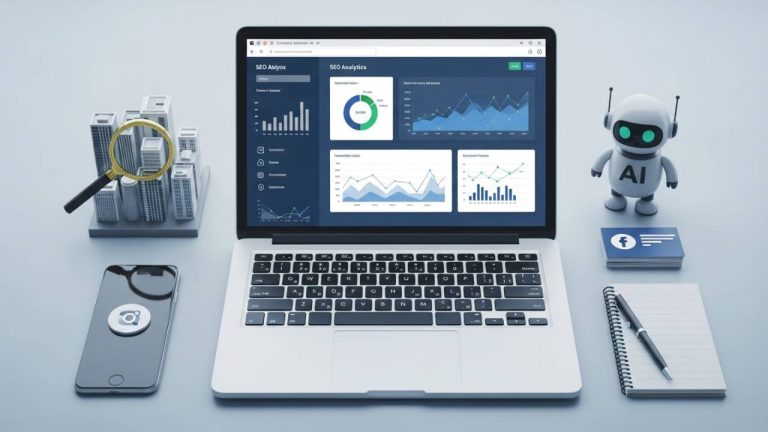
BrightLocal is a specialized platform designed to help US-based businesses improve their visibility in local search results and Google Maps. This becomes more valuable as your business relies more on local search traffic rather than paid ads.
Key Features:
- AI-assisted audit of local SEO citations across the web.
- Automated “Review Management” to request and monitor customer feedback.
- Local rank tracking to see how your business appears in specific zip codes.
Pros:
- Detailed reporting that is easy for non-technical owners to understand.
- Strong focus on the “Local Pack” and Google Maps rankings.
Cons:
- The interface can be data-heavy, which may require time to learn.
- Some advanced features are only available in higher-priced tiers.
Best For:
Brick-and-mortar stores and service providers who rely heavily on Google Maps traffic.
2. Podium
Podium uses AI to streamline communication between local businesses and their customers via text, webchat, and social media. This can also be combined with [AI tools for Facebook ads copywriting] to improve campaign performance and response rates.
Key Features:
- AI-generated response suggestions for customer inquiries and reviews.
- Unified inbox to manage all local customer conversations in one place.
- Bulk text messaging for local promotions and appointment reminders.
Pros:
- Significantly reduces the time spent typing repetitive responses.
- Helps improve “Response Time” metrics on Google and Facebook.
Cons:
- Subscription costs can be high for very small, solo operations.
- AI suggestions still require human oversight to ensure a personal tone.
Best For:
High-volume service businesses like auto shops or dentists who handle many daily inquiries.
3. Canva Magic Studio
Canva has integrated AI tools to help small businesses create marketing materials—both digital and print—without hiring a professional designer.
Key Features:
- “Magic Write” for drafting captions, flyers, and local newsletters.
- AI-powered photo editing to enhance product shots or storefront images.
- Text-to-Image generation for creating unique social media backgrounds.
Pros:
- Extremely user-friendly with a vast library of templates.
- Cost-effective for businesses with a limited marketing budget.
Cons:
- AI-generated designs can sometimes look generic if not customized.
- Content requires proofreading to maintain a consistent brand voice.
Best For:
Business owners who need to create frequent visual content for social media or local events.
4. AdCreative.ai
This tool focuses on generating high-conversion ad creatives and copy, specifically optimized for digital platforms like Meta and Google.
Key Features:
- AI-driven generation of ad banners based on your brand colors and logo.
- Scoring system that predicts which ad layouts may perform better.
- Automated copy generation for local headlines and descriptions.
Pros:
- Speeds up the process of testing multiple ad versions.
- Includes a library of royalty-free images tailored for commercial use.
Cons:
- Best suited for digital ads; less useful for traditional local print media.
- Requires a clear understanding of your target audience to be effective.
Best For:
Businesses running local lead-generation ads on Facebook or Instagram.
5. Perplexity AI
While not a direct execution tool, Perplexity is useful for research and idea generation, especially when planning local campaigns or understanding competitors.
Key Features:
- Real-time web searching to find local competitors or community trends.
- Citation-backed answers for researching local regulations or event dates.
- Drafting outlines for local blog posts or community-focused emails.
Pros:
- Provides up-to-date information, unlike some older AI models.
- Free version is quite capable for basic research tasks.
Cons:
- Does not post content directly to social media or your website.
- Results depend heavily on the quality of the questions (prompts) asked.
Best For:
Owners who need to research local market trends or brainstorm community-relevant content.
Comparison Table
| Tool Name | Best For | Pricing Status | Ease of Use |
| BrightLocal | Local SEO & Map Rankings | Paid / Trial | Moderate |
| Podium | Customer Communication | Paid / Trial | Easy |
| Canva Magic Studio | Visual Content & Design | Free / Paid | Easy |
| AdCreative.ai | Digital Ad Creation | Paid / Trial | Moderate |
| Perplexity AI | Local Market Research | Free / Paid | Easy |
Real Use Cases
Automating Local Review Management
A local landscaping company uses an AI-powered tool to monitor new Google reviews. When a positive review is posted, the AI drafts a personalized “Thank You” message mentioning the specific service provided. This helps the business maintain a high engagement rate without the owner having to type every response manually.
Generating Targeted Local Ad Copy
A boutique fitness studio uses AI to generate five different versions of a Facebook ad. Each version focuses on a different benefit—such as “New Member Specials” or “Local Community Vibe.” By testing these AI-generated options, they can identify which message resonates most with residents in their specific zip code.
Managing Daily Social Content
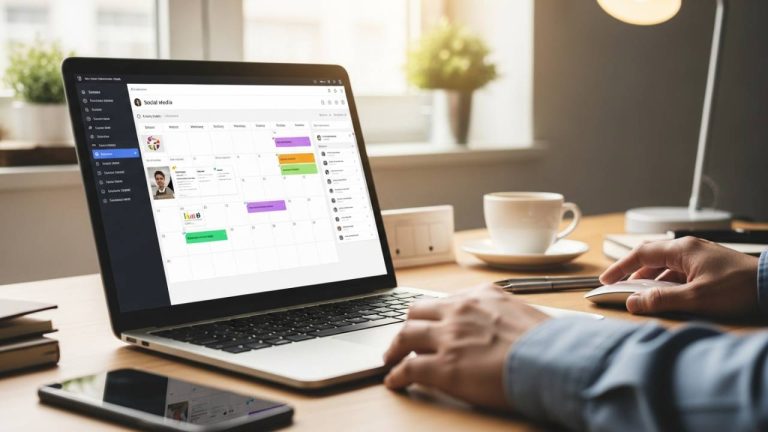
A local café uses Canva Magic Studio to generate weekly promotional posts. By reusing templates and AI-generated captions, they maintain a consistent social presence without the need to hire an outside designer.
Common Mistakes
- Over-reliance on Automation: Letting AI handle 100% of customer interactions can make a local business feel impersonal. Customers often choose local shops for the human connection.
- Poor Input / No Editing: AI can sometimes produce incorrect facts. Always proofread AI-generated captions or flyers to ensure local street names and business hours are accurate.
- Lack of Testing: Implementing a tool and assuming it works without checking results is a mistake. Regularly review whether your AI-managed ads or emails are actually generating leads.
How to Choose the Right Tool
Selecting an AI tool for local business marketing should depend on where your business currently feels the most pressure:
- Identify the Bottleneck: If you lack Visibility, focus on BrightLocal. If you lack Time, prioritize Podium or Canva.
- Evaluate Skill Level: Choose tools with high Ease of Use if you want to start immediately. Starting with one specific problem is often more effective than trying to implement multiple tools at once.
- Consider Budget: Start with free versions of tools like Canva or Perplexity to see the value before committing to paid monthly subscriptions.
FAQ – AI Tools for Local Business Marketing
Yes. Most tools allow you to set specific geographic parameters, such as zip codes or city radii, ensuring your marketing remains relevant to your community.
AI tools like BrightLocal help identify citation gaps and optimize your Google Business Profile, which are key factors in improving local map rankings.
Many tools offer capable free versions. Paid platforms typically provide tiered pricing based on the number of locations you manage.
Only if you use generic outputs. The most effective approach is to use AI for the first draft and then add your own local expertise and brand voice.
Simple design or research tools take minutes. Comprehensive systems like Podium or BrightLocal may require a few hours to sync with your business data.
Conclusion: Make Local Marketing More Manageable
Local marketing becomes difficult when every task is handled manually—from posting updates to responding to customer feedback.
AI tools help reduce that workload by organizing your outreach and automating repetitive tasks, making it easier to stay consistent.
Rather than trying to automate everything at once, focus on one area where your time is most limited. As that process improves, maintaining visibility and engagement in your local market becomes more manageable over time.